

Sheets
The grid your team knows, with a plan underneath.
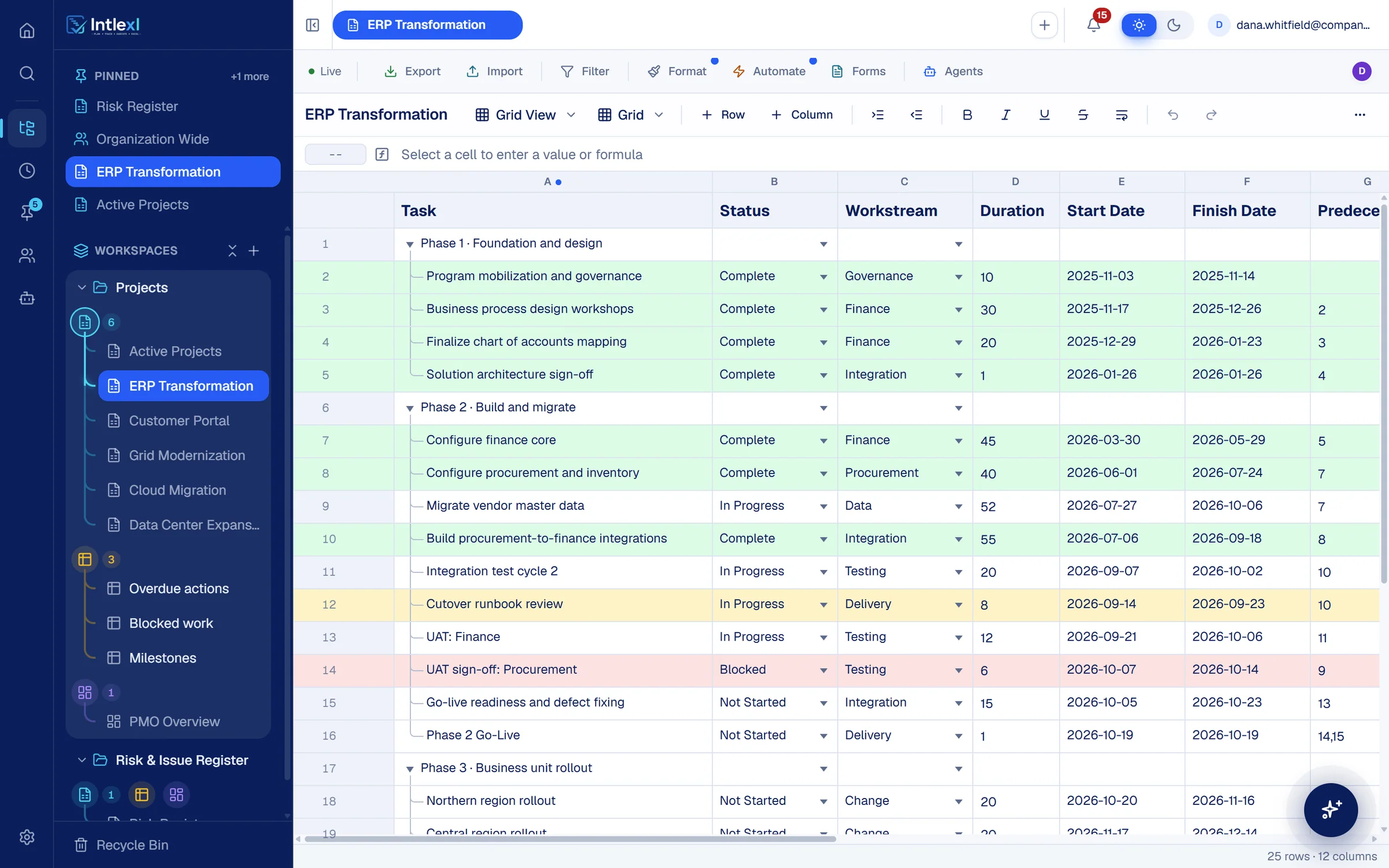
It feels like a spreadsheet, so your team already knows how to use it. Underneath it has hierarchy, owners, dependencies and live editing.
Columns
Twenty column types. Each one knows what it holds.
A date is a date, an owner carries an allocation, a dropdown keeps the list clean. That is what lets the Gantt, the board and the resource manager read the same rows.
Text
Dropdown
Task owner
Contact
Date
Duration
Number
Currency
Percent
Checkbox
Symbols
Formula
Auto-number
Hyperlink
Attachment
Latest comment
Created by
Created date
Modified by
Modified date
Five views read the same rows: grid, Gantt, timeline, Kanban board and calendar.
Structure
Phases, tasks and owners in one view.
Group work under parent rows, collapse what you do not need, and give every task an owner with an allocation. That allocation feeds capacity planning directly.
Parent and child rows
Indent to build phases, expand or collapse, and roll dates up to the parent.
Task owners with percentages
Give each owner a percentage and the resource manager reads it as their share of the week.
Saved views
Filter, sort, group and hide columns, and keep each set as its own view.
Rules on the rows
Pick a status. The row, the rule and the dashboard respond.
Dropdowns keep values clean, conditional formatting colours the row, and automations act on the change. Here a blocked task turns red, everyone with access hears about it, and the Blocked work widget picks it up.
Dropdowns and typed columns
Status, owner, dates and more, each with the right editor.
Conditional formatting
Colour a row or a cell from its values: blocked red, overdue yellow, complete green.
Formulas across sheets
Pull a budget from one plan into another and keep it current.
- Phase 2 · Build and migrate
- Migrate vendor master dataAisha6 OctIn Progress
- Build procurement-to-finance integrationsTomas18 SepComplete
- Integration test cycle 2Grace2 OctIn Progress
- Cutover runbook reviewTomas23 SepIn Progress
- UAT: FinanceGrace6 OctIn Progress
- UAT sign-off: ProcurementDana14 OctIn ProgressNot StartedIn ProgressBlockedComplete
- Phase 2 Go-LiveDana19 OctNot Started
Automation: Flag blocked work
- WhenStatus changes
- IfStatus is Blocked
- ThenNotify everyone with access
UAT sign-off: Procurement is blocked. Sent to everyone with access to ERP Transformation.
PMO Overview · Blocked work
1
- UAT sign-off: ProcurementERP
- Vendor firmware certificationGrid
On every row
Work happens on the row, so the row keeps the record.
Comments
Discuss a task where it lives, and see the latest comment as a column.
Attachments and proofs
Attach files and proofs to the row they belong to.
Reminders
Set a reminder on a row and be told when it is due.
Row locks
Lock a row so only the locker or an owner can change it.
History
A timeline of who changed what on each row, and when.
Undo and redo
Your own changes, not a colleague's, so nobody undoes someone else.
FAQ
Questions people ask.
Bring one plan. See it run.
In 30 minutes we set up a workspace like yours and show sheets, Gantt, dashboards, capacity and a PM agent at work.