

Dashboards
A dashboard you never have to refresh by hand.
Widgets draw from the same sheets your team edits. The number on the dashboard is the number in the plan.
- Chart types
- 10
- Dashboard themes
- 6
- Resource widgets
- 5
- Utilisation, heatmap, over-allocated, bench, at risk
Widgets
From a single number to a whole timeline.
Start with the metrics that matter, then add the charts, tables and timelines that explain them.
Metrics
Count, sum, average, minimum and maximum over any column, formatted as currency or percent.
Charts
Ten types, with legends, grids and labels you can switch on and off.
Tables and timelines
Show rows from a sheet, a Gantt of a plan, or a whole report inside the dashboard.
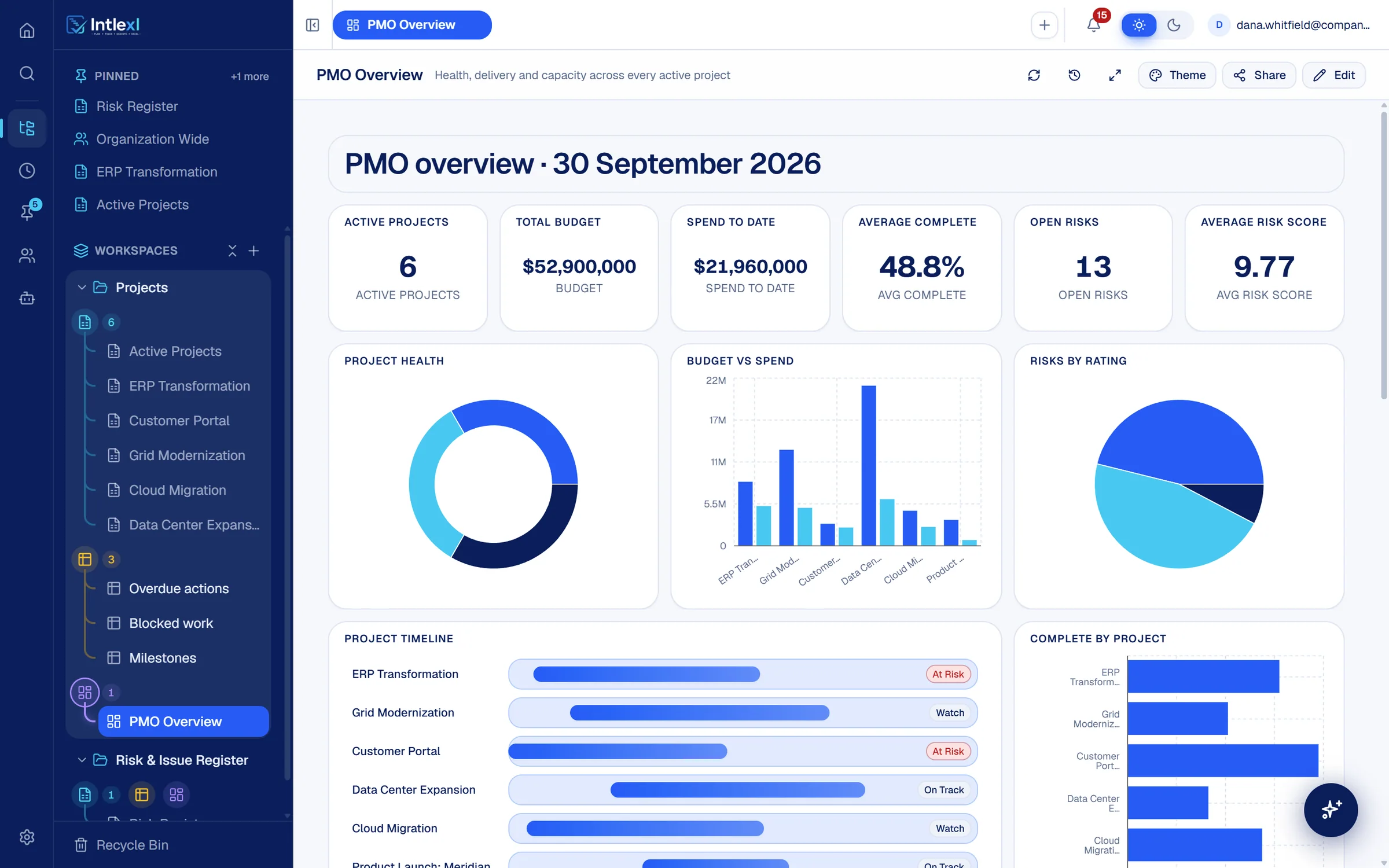
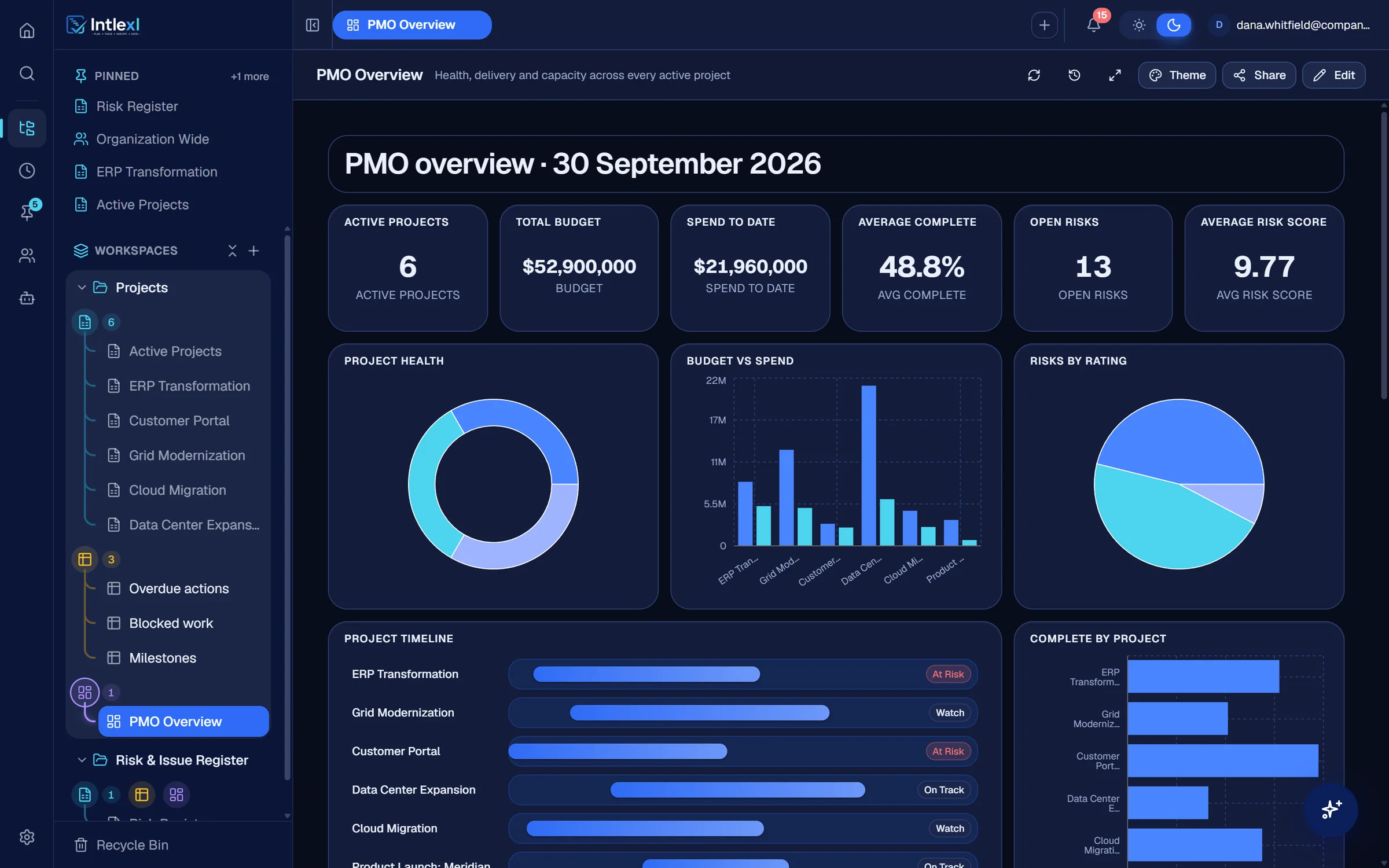
Active projects
6
Total budget
$52.9M
Spend to date
$21.96M
Average complete
48.8%
Project health
- At risk2
- Watch2
- On track2
At risk: ERP Transformation, Customer Portal
Complete by project
- ERP62%
- Grid41%
- Portal78%
- Data Center33%
- Cloud55%
- Meridian24%
Budget vs spend
BudgetSpendData Center Expansion
Budget $21.0MSpend $6.12M
Project timeline
Sep 2025 to Sep 2027- ERPAt risk
- GridWatch
- PortalAt risk
- Data CenterOn track
- CloudWatch
- MeridianOn track
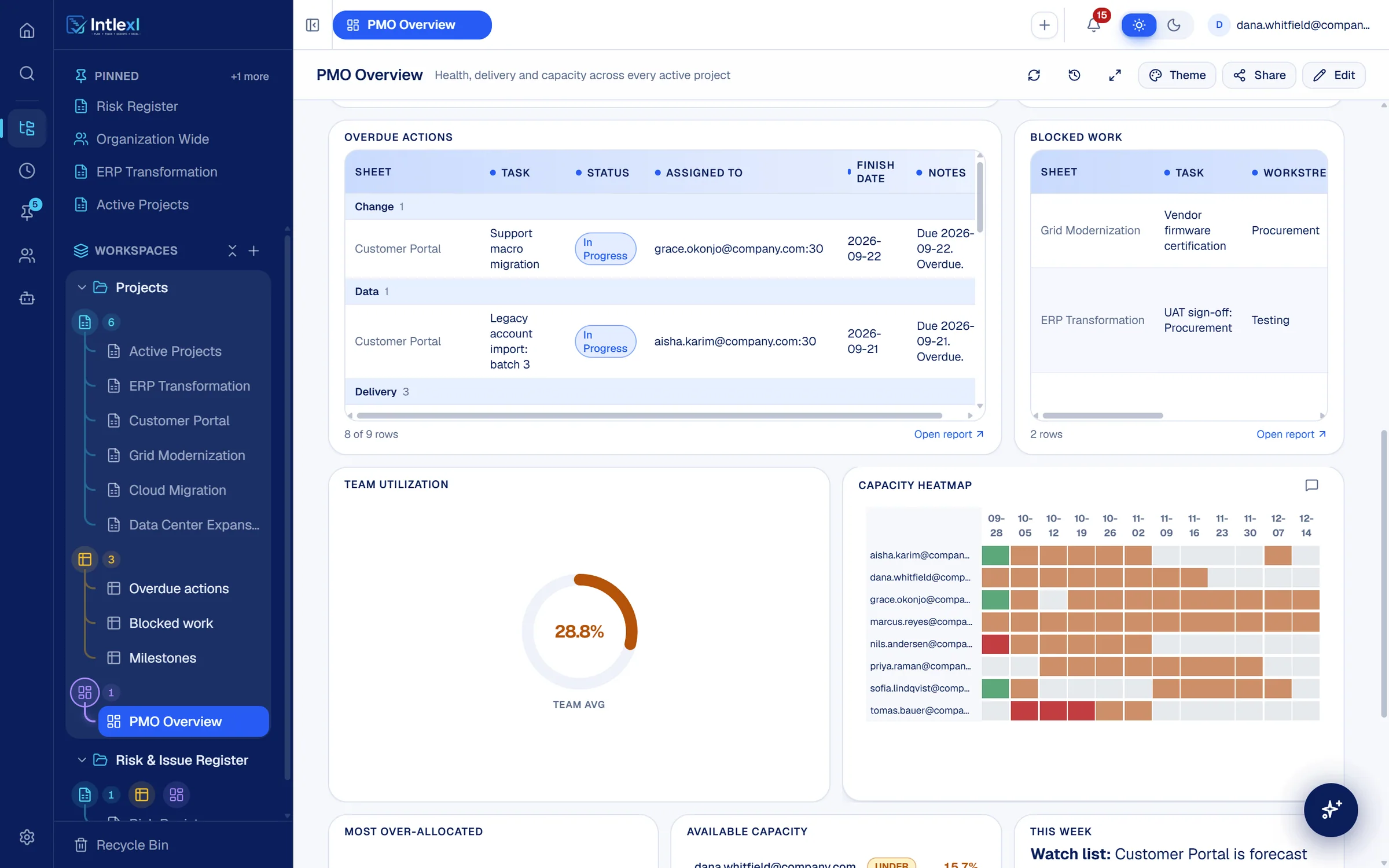
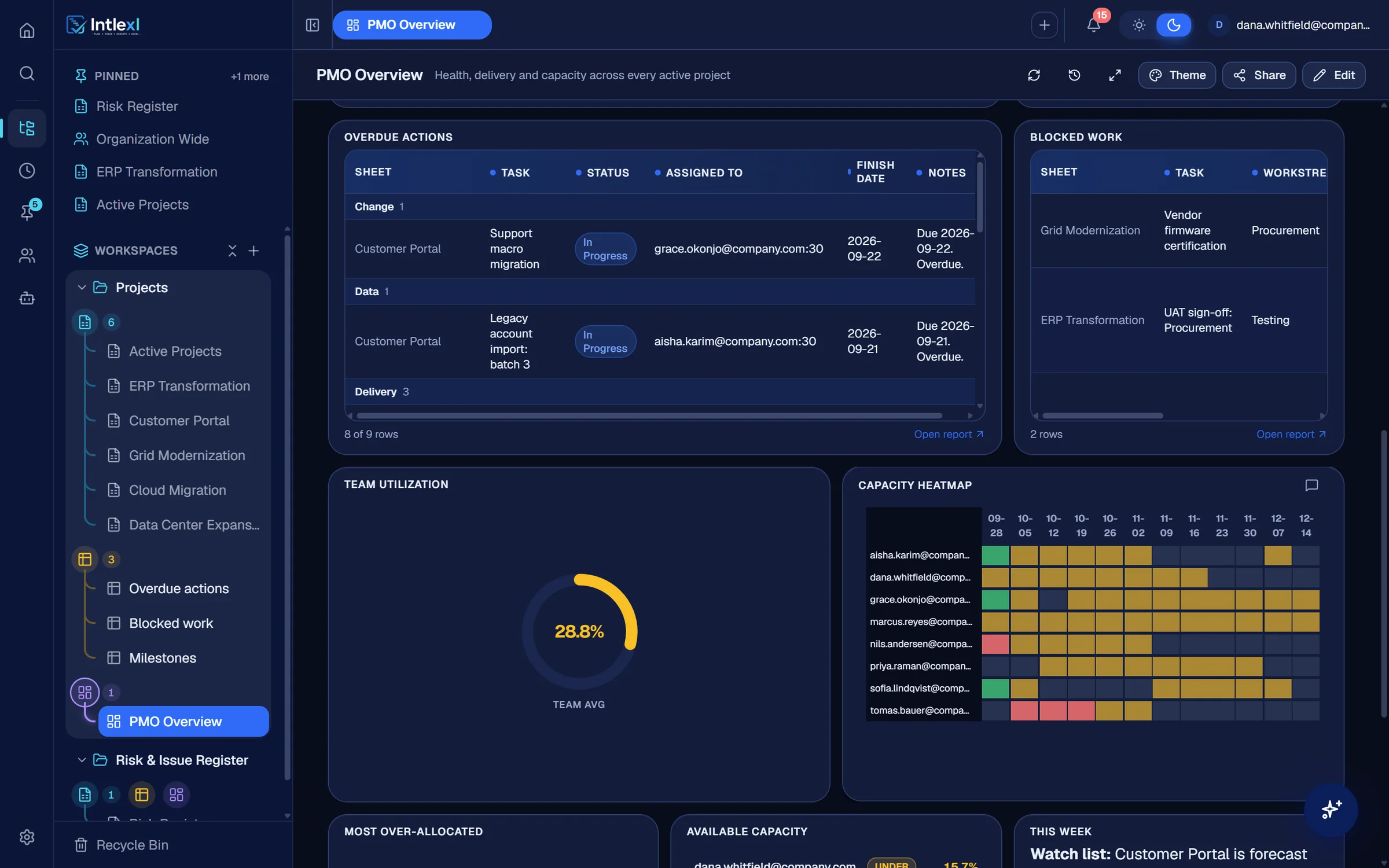
Resources on the dashboard
Capacity beside delivery.
Drop in team utilisation, the capacity heatmap, the most over-allocated people, the bench and at-risk tasks, all fed by a resource manager.
Make it yours
Themes, filters and conversation.
Six themes
Follow the app, or choose Aurora, Sunset, Royal, Graphite or Midnight, each with its own chart palette.
Filters and cross-filter
Save filters on the dashboard and click a chart segment to filter everything else.
Drill-down
Open the rows behind any figure in a side panel.
Widget comments
Discuss a chart where it is, with a count on the widget.
Full screen
Present a dashboard on a wall screen with the Midnight theme.
Duplicate and share
Copy a dashboard as a starting point and share it with owner, editor or viewer access.
FAQ
Questions people ask.
Bring one plan. See it run.
In 30 minutes we set up a workspace like yours and show sheets, Gantt, dashboards, capacity and a PM agent at work.