

Platform
One workspace for every project.
Sheets, schedules, dashboards, capacity, forms and automation share the same data, so a change made once is true everywhere. The AI and the agents can help because owners, dates and dependencies are structured data, not prose.
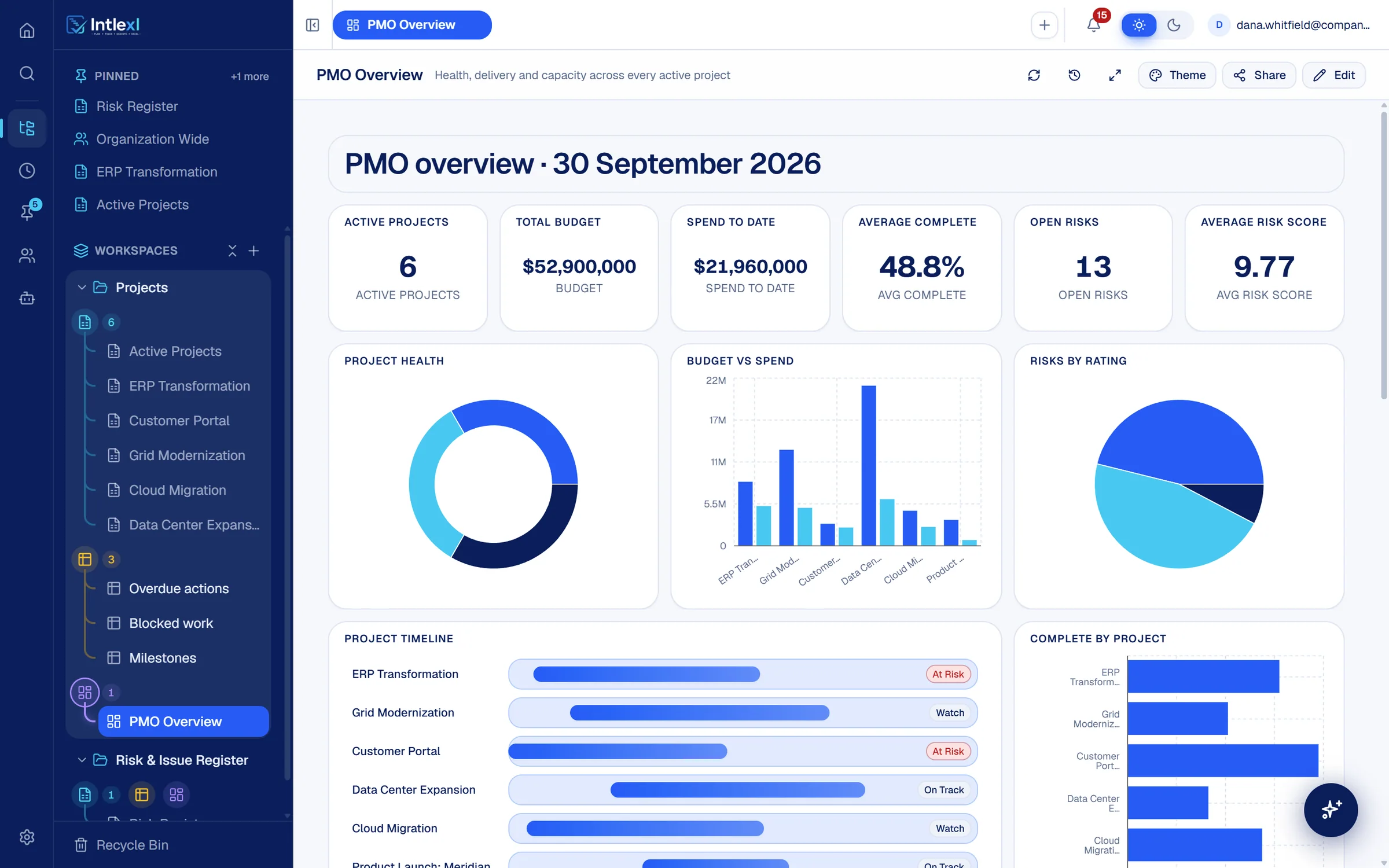
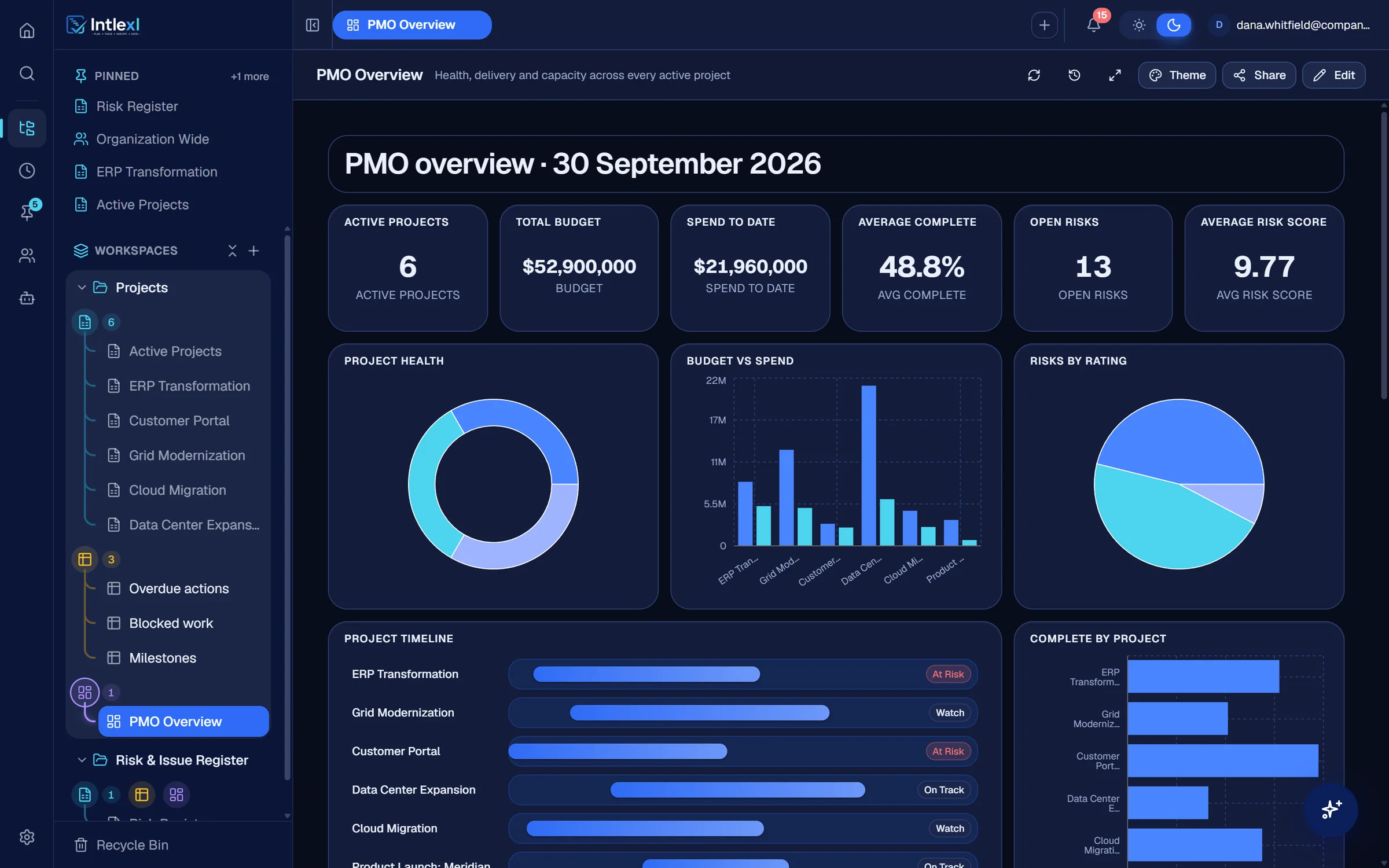
- Views over the same rows
- 5
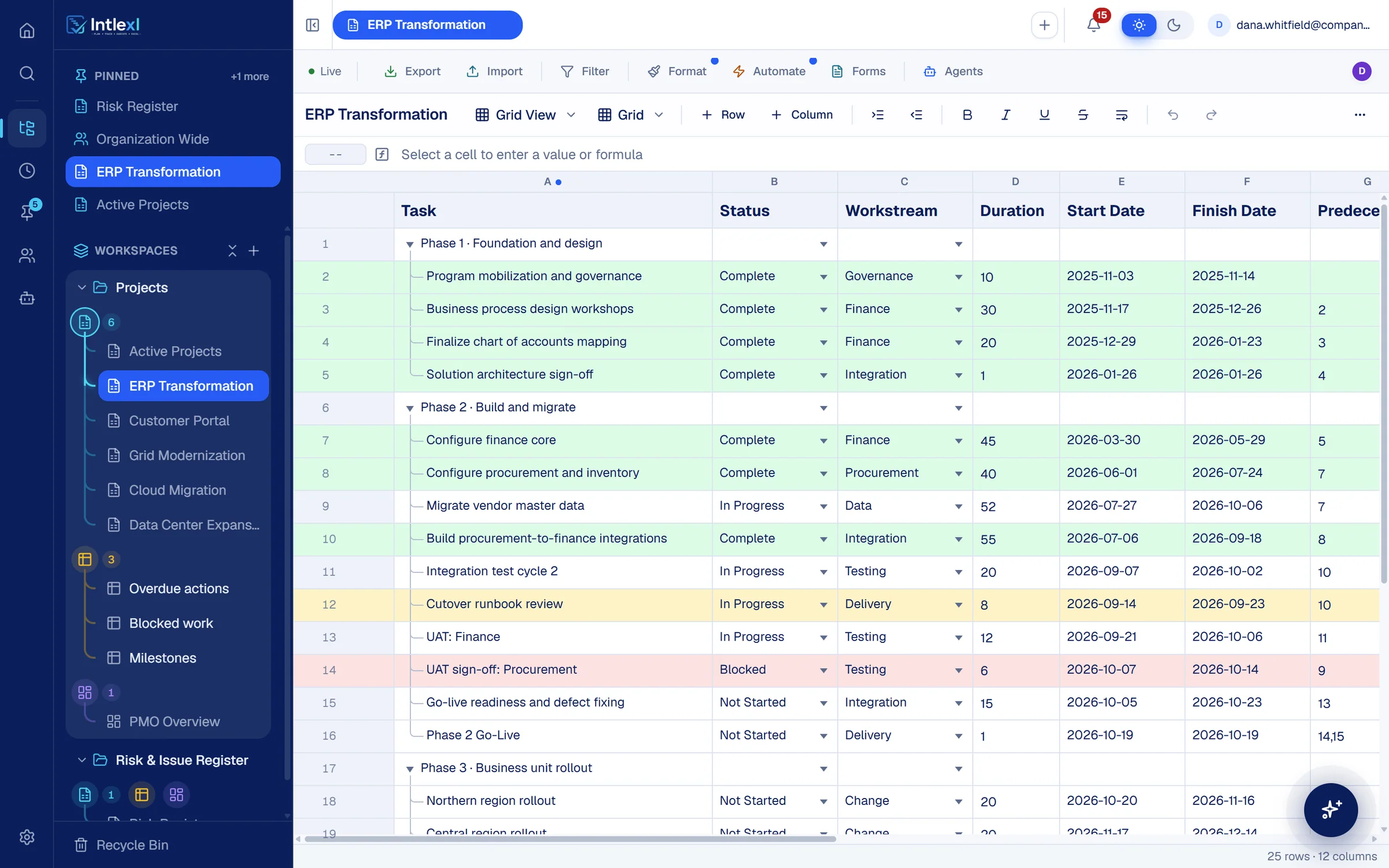
- Grid, Gantt, timeline, Kanban, calendar
- Dashboard chart types
- 10
- Plus metrics, tables and resource widgets
- Automation actions
- 13
- From set a cell to call a webhook
- Tools for AI and MCP
- 100+
- Read and edit through your permissions
Sheets
Sheets that hold the whole plan.
Rows have parents and children, owners carry allocations, and every date can be a dependency. Edit together and see each other's cursors.
Typed columns
Text, number, currency, percent, date, dropdown, checkbox, contact, task owner, duration, formula and more.
Formulas across sheets
A formula engine with cross-sheet references and cell links, and a formula bar that colours the cells it reads.
Comments, files and history
Attachments, proofs, reminders and row locks, with a history for every row.
Scheduling
Gantt with dependencies and a critical path.
Move a date and every dependent task follows. Ask what would slip before you agree to a change.
Dependency types and lag
Finish-to-start and the other three, with lead and lag in days.
Critical path and float
Calculated from your dependencies and shown on the chart.
What-if through Intlexl AI
Ask what would slip if a date moves. It shows everything the change touches and saves nothing.
Dashboards
Dashboards that draw from the sheets.
Build a dashboard from metrics, ten chart types, tables, timelines and resource widgets. It updates as the sheets do.
Six themes
Follow the app, or choose Aurora, Sunset, Royal, Graphite or Midnight.
Filters, cross-filter and drill-down
Click a chart segment to filter the dashboard, or open the rows behind a number.
Comments and sharing
Discuss a widget in place and share the dashboard with the right people.
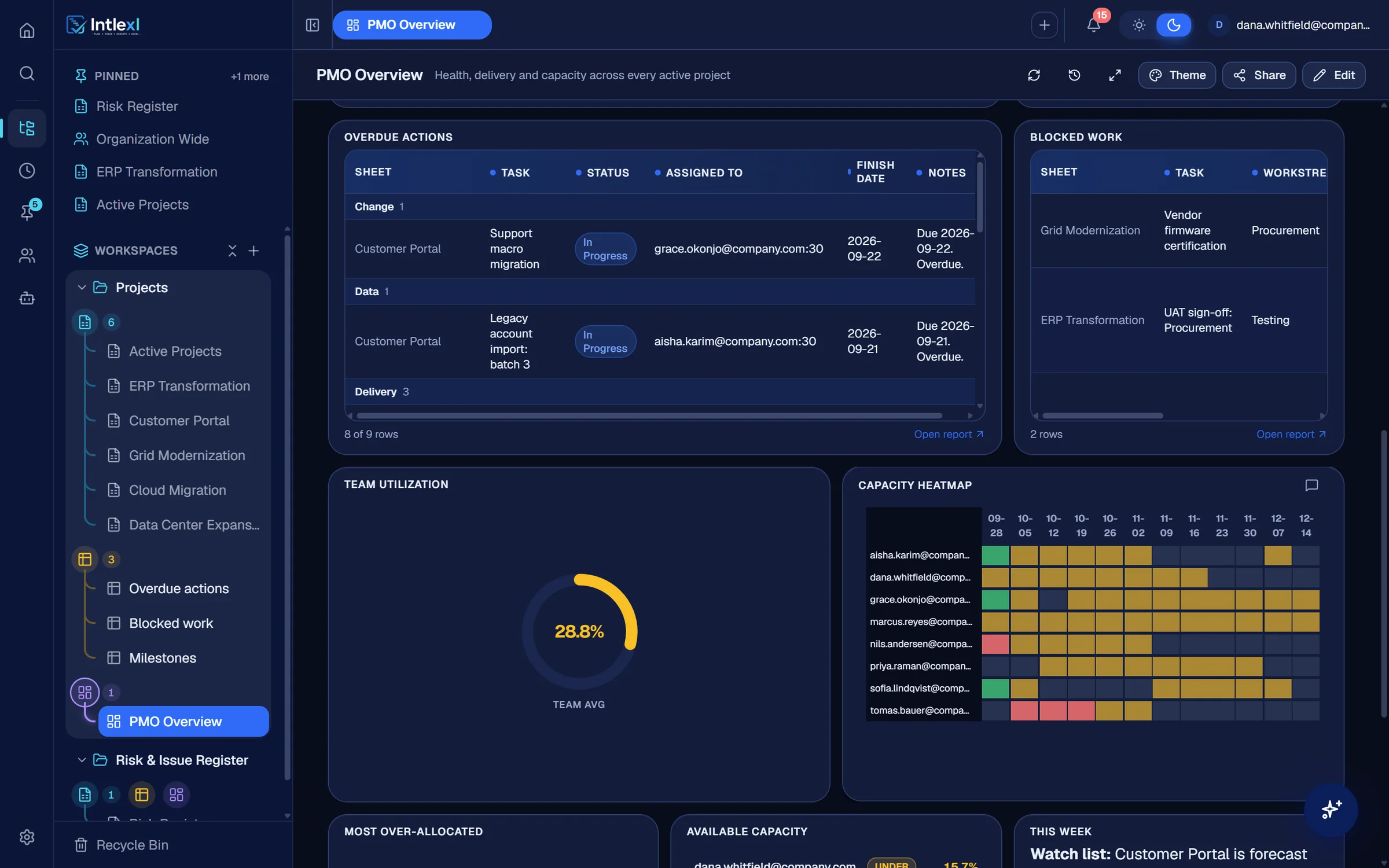
Capacity
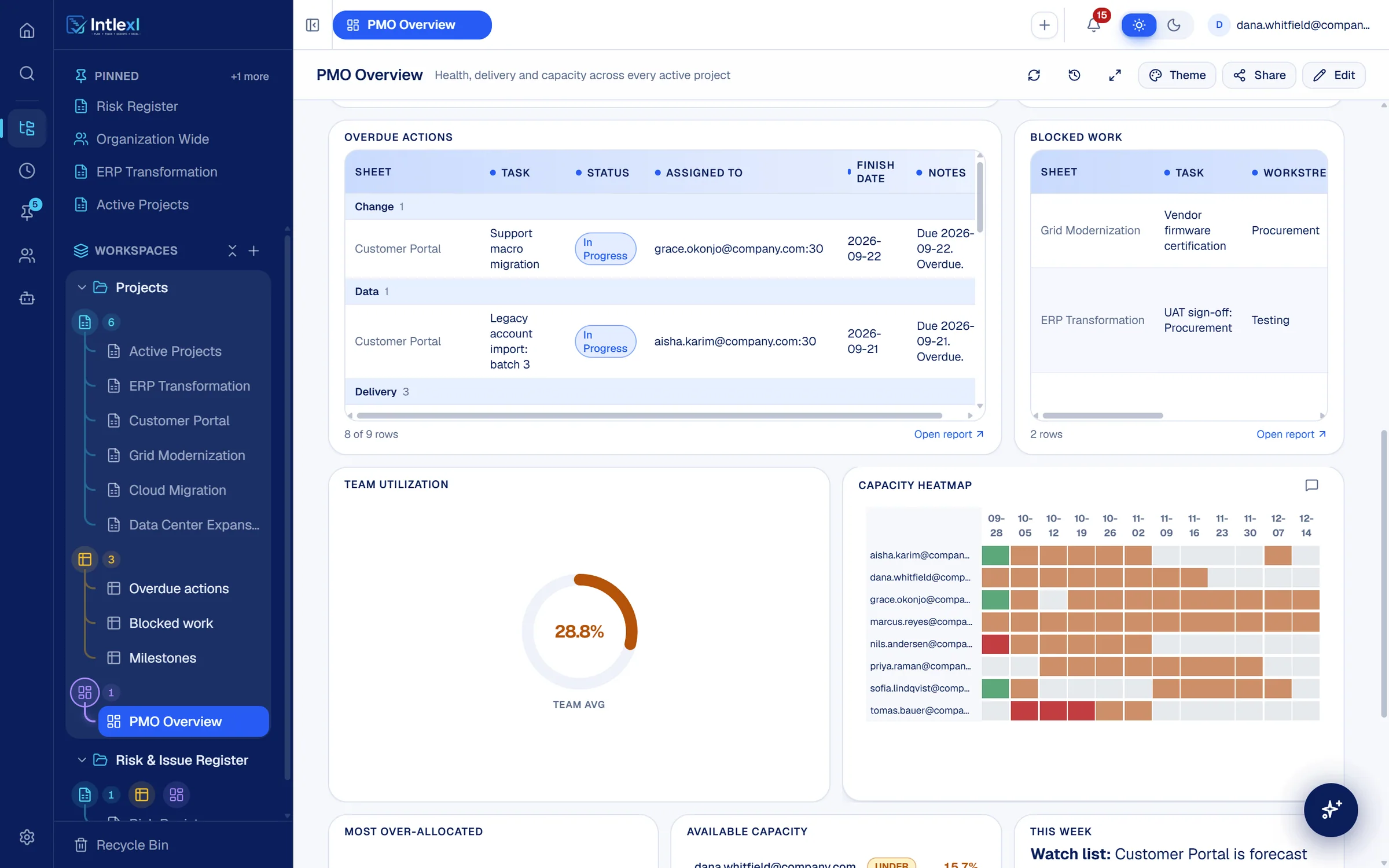
Utilisation for everyone who owns a task.
Point the resource manager at your plans. It reads owners and dates and works out weekly load per person.
Tomas Bauer · week of 12 Oct
130% of 40 hours, 5 to 23 Oct
- Go-live readiness and defect fixing · ERP Transformation90%
- Network fabric design · Data Center Expansion40%
Around the plan
The rest of the PMO toolkit, in the same workspace.
Forms
Public intake forms mapped to sheet columns, with logic and your logo.
Reports
Filter, sort and group rows across sheets, live on open.
Automations
Triggers, conditions and actions, with run logs.
Search
Ctrl or Cmd K across sheets, rows and dashboards, with filters.
Daily digest
A morning summary at 08:00 local time, with per-person preferences.
Time zones
An organisation zone and a personal zone. Dates and today respect both.
Import and export
Excel in and out, Smartsheet and Microsoft Project import.
Recycle bin
Deleted workspaces, sheets and dashboards are restorable.
FAQ
Questions people ask.
Bring one plan. See it run.
In 30 minutes we set up a workspace like yours and show sheets, Gantt, dashboards, capacity and a PM agent at work.