

Scheduling
Plans that know what depends on what.
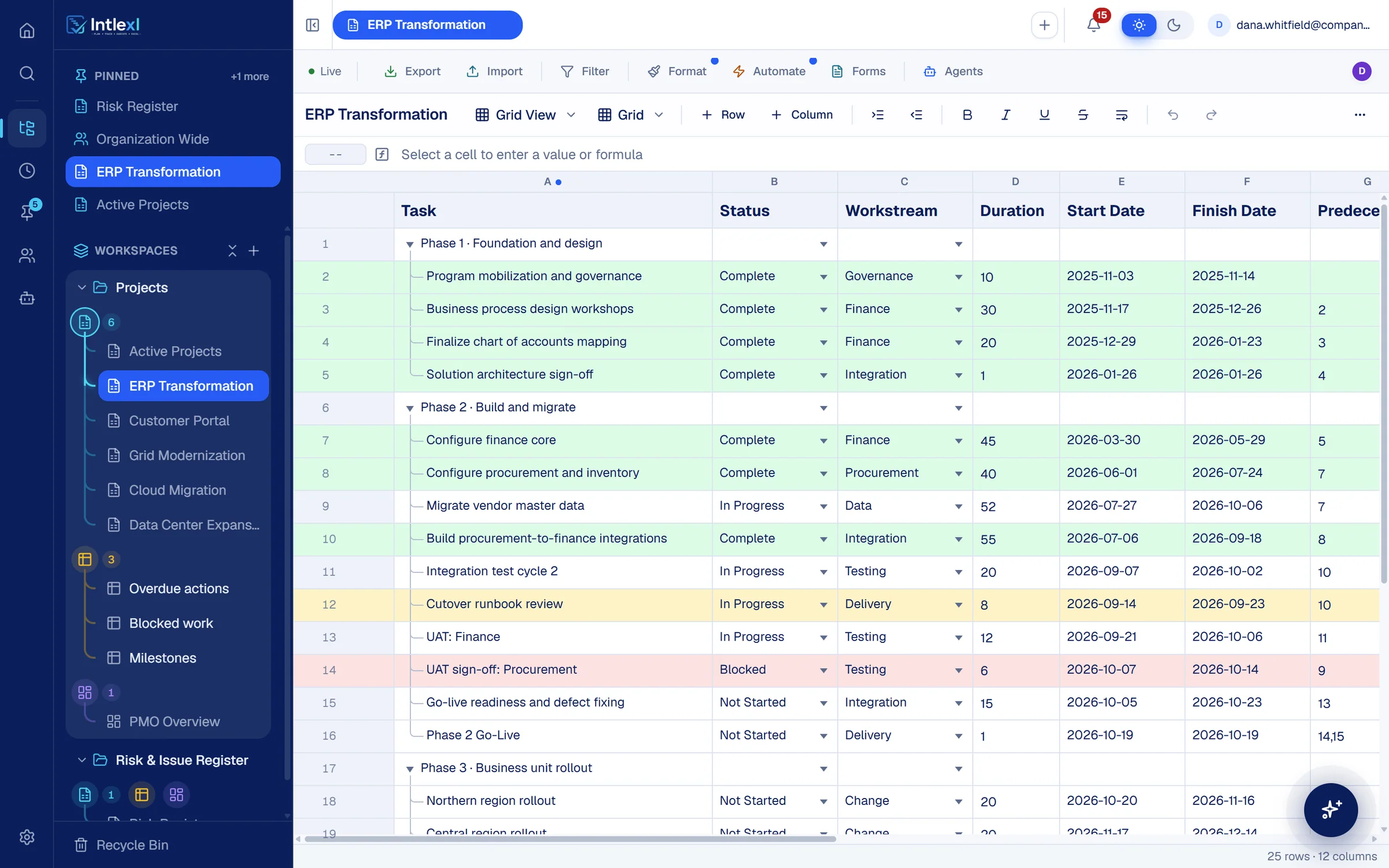
Dependencies are links between tasks, so when a date changes the tasks that follow reschedule. See the critical path in red, and ask Intlexl AI what would slip before you commit to a change.
How scheduling works
From a list of tasks to a schedule you can trust.
- 1
List the work
Phases, tasks and milestones as rows, with a duration and an owner for each.
- 2
Link it
Add predecessors by row number or in the dependency dialog, with lead or lag.
- 3
Read the path
The critical path and float are calculated and drawn on the chart.
- 4
Test a change
Ask Intlexl AI to simulate a date move and see exactly what it would shift.
Dependencies
Four types, with lead and lag.
Finish-to-start is the default, and the other three are one click away. Predecessors typed into a column and links made in the dialog stay in step.
Edit predecessors your way
Type row numbers into the column, or use the dependency dialog.
Dependency checks
Ask Intlexl AI to check a plan's links for loops and gaps before you rely on its dates.
Recalculate on demand
Re-run the schedule after a bulk change and see the new dates.
Other views
The same plan as a board or a calendar.
A team that thinks in lanes gets a Kanban board with swimlanes and work-in-progress limits. A team that thinks in weeks gets a calendar where tasks span their days.
Drag cards between columns to update their Status
Go-live readiness and defect fixing
- Workstream:
- Integration
- Duration:
- 15
- Start:
- 5 Oct
Phase 2 Go-Live
- Workstream:
- Delivery
- Duration:
- 1
- Start:
- 19 Oct
Northern region rollout
- Workstream:
- Change
- Duration:
- 20
- Start:
- 20 Oct
+6 more
Migrate vendor master data
- Workstream:
- Data
- Duration:
- 52
- Start:
- 27 Jul
Integration test cycle 2
- Workstream:
- Testing
- Duration:
- 20
- Start:
- 7 Sep
UAT: Finance
- Workstream:
- Testing
- Duration:
- 12
- Start:
- 21 Sep
Cutover runbook review
- Workstream:
- Delivery
- Duration:
- 8
- Start:
- 14 Sep
UAT sign-off: Procurement
- Workstream:
- Testing
- Duration:
- 6
- Start:
- 7 Oct
Build procurement-to-finance integrations
- Workstream:
- Integration
- Duration:
- 55
- Start:
- 6 Jul
Configure procurement and inventory
- Workstream:
- Procurement
- Duration:
- 40
- Start:
- 1 Jun
+6 more
And more
Built for schedules that change.
Parent roll-up
Phase start and finish dates roll up from their children.
Duration in working days
Start, finish and duration stay consistent as you edit any one of them.
Timeline view
A lighter chart of start and end dates for readers who do not need the detail.
Milestones
Mark any row as a milestone and see it on the chart and in reports.
Automations on dates
Alert or update when a date is reached, or a set number of days after it.
Agents that watch the plan
The Forecasting agent projects whether each plan will hit its dates.
FAQ
Questions people ask.
Bring one plan. See it run.
In 30 minutes we set up a workspace like yours and show sheets, Gantt, dashboards, capacity and a PM agent at work.